ROI Calculator Excel Template – Calculate Return on Investment Easily
Introduction
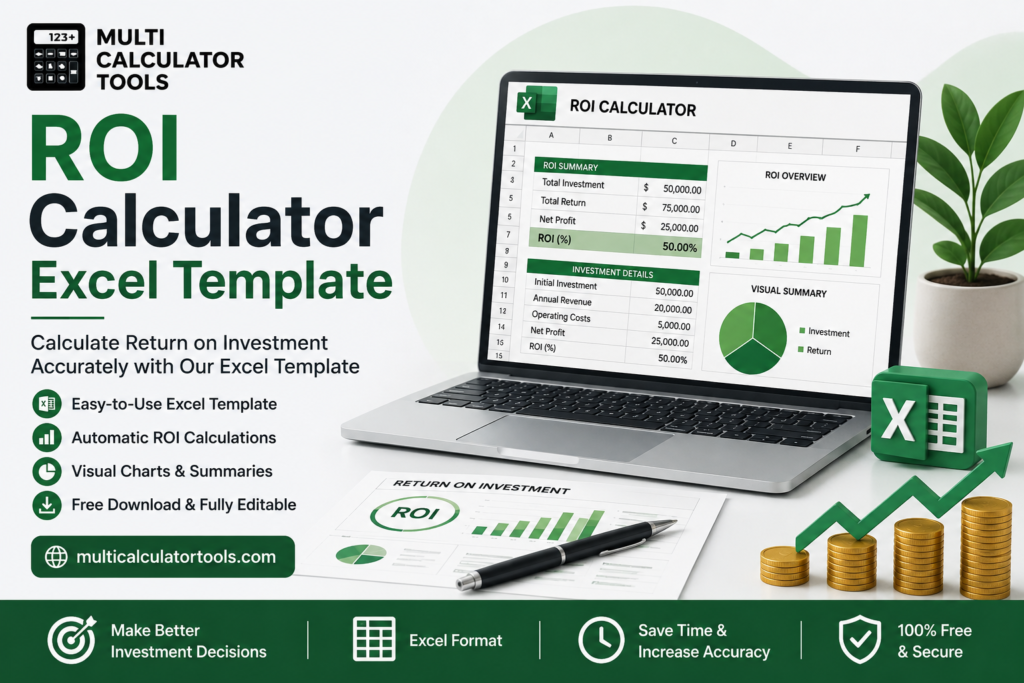
An ROI calculator Excel template makes it easy to figure out your return on investment. You just put in how much you spent and how much you got back and the template does the math for you. It tells you how profit you made and what your return on investment is. Knowing your return on investment is important because it is the way to see if something was a good idea. You can use it to compare things like marketing campaigns or business investments to see which one was better. Business owners, marketers, project managers, investors and students all use return on investment to decide if they should spend money on something. In this guide you will learn about the return on investment formula in terms.
Quick Answer Box
An ROI calculator in Excel is a spreadsheet. It helps you calculate Return on Investment. The formula used is:
ROI percentage equals, profit minus investment cost, divided by investment cost, then multiplied by 100. You just enter your investment cost and revenue in the given cells. The template then instantly shows your profit and Return on Investment percentage. Use an ROI calculator Excel template to find your Return on Investment. It saves time. Is easy to use for Return, on Investment calculations..
What Is an ROI Calculator Excel Template?
An ROI calculator Excel template is a spreadsheet that has already been set up for you. It does the math for the return on investment so you just have to put in the numbers for how much you spent and how much you made. Then you can see away what your net profit is and what your ROI is as a percentage. Businesses use ROI because it gives them an answer to an important question. They want to know if what they spent money on was worth it. If they got more value from it than they spent. This could be anything from a marketing campaign to equipment or even a whole new business. ROI helps them compare these things. Using Excel makes it a lot easier to figure out ROI.
Limitations:The return on investment is a place to start when making financial decisions. The return on investment does not take into account how time it takes to get the money back or how much risk is involved or the time value of money. We will talk more about the return on investment in detail, on this page.
How Does the ROI Calculator Excel Template Work?
The template works by taking a small set of inputs and applying the standard ROI formula automatically through built-in Excel formulas..
Initial investment When you put money into something the initial investment is what you pay upfront. This includes things like the purchase price the money you spend on a campaign the budget for a project or the capital you lay out.
Total profit The total profit, which is also called return is what you have left after you subtract all the costs from the total revenue.
Operating costs There are costs that you have to pay all the time like maintenance, staffing, subscriptions or overhead. These are called operating costs. They reduce your net profit if they are not already included in the investment.
ROI percentage The return on investment or ROI is calculated using a formula. The ROI percentage is found by taking the profit subtracting the investment cost dividing that by the investment cost and then multiplying by 100.In terms you take what you made subtract what you spent divide that by what you spent and then multiply by 100 to get a percentage.If the ROI is positive that means the investment made money than it cost. If the ROI is negative that means the investment lost money.
Excel formulas You can use Excel to calculate the ROI. You can use a formula like =((C3-C2)/C2)*100, where C2 is the investment cost and C3 is the net profit. This way you do not have to do the math yourself.
How to Use the ROI Calculator Excel Template
- Download or open the Excel template.
- Enter your investment cost.
- Add your revenue or total returns.
- Include operating expenses, if applicable.
- Review the automatically calculated net profit.
- Click or refresh calculations if needed.
- Review your ROI percentage.
- Compare multiple investment scenarios side by side using separate rows or sheet tabs.
For the most useful results, run the same investment through a few different scenarios — conservative, expected, and optimistic revenue figures — to see a realistic ROI range rather than a single static number.
Factors That Affect ROI
| Factor | Impact on ROI | Example |
| Initial Investment | Larger investments require proportionally larger returns to maintain the same ROI percentage | Doubling investment cost without doubling profit lowers the ROI percentage |
| Revenue | Higher revenue directly increases net profit and ROI | A marketing campaign generating more sales boosts ROI even at the same cost |
| Operating Costs | Ongoing costs reduce net profit, lowering ROI over time | Unaccounted maintenance costs can quietly erode an otherwise strong ROI |
| Marketing Expenses | Ad spend and campaign costs factor directly into investment cost | Higher ad spend needs proportionally higher conversions to maintain ROI |
| Project Duration | Longer timeframes can dilute the practical value of a given ROI percentage | A 20% ROI over 5 years is less attractive than 20% over 1 year |
| Profit Margin | Higher margins on generated revenue improve net profit and ROI | Higher-margin products yield better ROI on the same marketing spend |
| Taxes | Tax obligations reduce actual net profit realized from an investment | After-tax ROI is typically lower than pre-tax ROI |
| Inflation | Erodes the real value of future returns compared to today’s costs | A nominal 10% ROI may be lower in real terms after accounting for inflation |
| Market Conditions | External demand and competition affect achievable revenue | A strong market can boost ROI beyond initial projections; a downturn can suppress it |
Benefits of Using an ROI Calculator Excel Template
- Faster investment analysis — get a clear ROI figure in seconds instead of manual calculation.
- Improved budgeting — compare planned investments against expected returns before committing funds.
- Better financial decisions — base spending choices on numbers rather than intuition alone.
- Automatic calculations — built-in formulas eliminate manual math errors.
- Easy customization — add rows, categories, or additional cost fields to match your specific business.
- Comparing multiple investments — evaluate several opportunities side by side using the same consistent formula.
- Business planning — incorporate ROI projections into broader financial and marketing plans.
- Performance tracking — revisit the same template over time to track how actual ROI compares to projections.
Limitations of ROI Calculator Excel Templates
An ROI calculator Excel template is a useful starting point, but ROI alone doesn’t capture every financial factor relevant to a major decision. Elements typically not accounted for include:
- Time value of money — a dollar returned today is worth more than a dollar returned in five years, something basic ROI doesn’t adjust for
- Inflation, which erodes the real value of future returns
- Opportunity costs — what you could have earned by investing the same capital elsewhere
- Taxes, which reduce the actual profit realized from an investment
- Financing costs, such as interest paid if the investment was funded with borrowed money
- Market volatility, which can shift actual returns well outside initial projections
- Investment risk, since ROI doesn’t distinguish between a safe, steady return and a volatile, uncertain one
- Future cash flows, particularly for investments that pay off unevenly over multiple years
For major investment decisions, combine ROI with other financial metrics — particularly IRR (Internal Rate of Return), which accounts for the timing of cash flows, and NPV (Net Present Value), which accounts for the time value of money — along with a payback period calculation to understand how quickly the investment recoups its cost.
Practical ROI Calculation Examples
Marketing campaign ROI:
A campaign that costs five thousand dollars and makes eight thousand dollars is a thing. This campaign makes a profit of three thousand dollars. We can say the return on investment for this campaign is sixty percent. This is a number to look at when we want to compare how well this campaign does compared to other campaigns. It is also important to remember that return on investment and return on ad spend are not the thing. We should not use these two terms to mean the thing because they are calculated in different ways. Return on investment for a campaign, like this one is a thing to know.
Small business investment:
A small business puts twenty thousand dollars into things to sell. This new inventory helps the small business make twenty six thousand dollars in sales. The small business has to pay two thousand dollars for costs. So the small business makes a profit of four thousand dollars. This means the small business gets a return on investment of twenty percent from the inventory. The small business makes this twenty percent return on investment, from the twenty thousand dollars it invested in the inventory.
Real estate investment:
So you buy a property for $200,000. Then you sell it for $230,000.. First you have to pay $10,000 for things like holding and transaction costs. This means you make a profit of $20,000. That is a return on investment of 10% on the $200,000 investment. The property investment is an one because you get a net profit of $20,000, from the property.
Equipment purchase:
A fifteen thousand dollar piece of equipment that reduces labor costs by six thousand dollars pays for itself in terms of profitability within roughly two and a half years. The equipment is an investment because it saves money. The return on investment of the equipment over that period can be calculated once the total savings from the equipment exceed the cost of the equipment. This means the equipment is a choice for people who want to save money on labor costs and get a good return on investment, from the equipment.t.
Software subscription ROI:
The software subscription costs three thousand dollars every year. It saves the team two hundred hours of work that they do by hand. This work is worth ten thousand dollars in labor cost. So the team gets a gain of seven thousand dollars. This means they get a return, on investment of two hundred and thirty three percent. The team really benefits from the three thousand dollar software subscription.
Tips to Improve ROI
- Reducing operating costs To reduce the costs of running a business we need to cut out expenses that are tied to our investments.
- Increasing revenue We should focus on the things that bring in the money.
- Optimizing marketing campaigns Our marketing efforts should be optimized by putting money into the campaigns that work the best.
- Improving operational efficiency We can get more done with the investment by making our processes more efficient.
- Monitoring business performance The performance of our business should be checked regularly not at the end of the year.
- Reviewing investments regularly We need to review our investments on a basis because the return on investment may not stay the same over time.
- Using accurate financial data Our decisions should be based on financial data rather than guesses.
- Comparing investment opportunities When we compare investment opportunities we should use the return on investment to make a fair comparison.
This way we can make decisions about where to put our money. The return on investment is a thing to consider when we are looking at different investments. We should use the return, on investment to compare our investment opportunities and make choices.
Frequently Asked Questions
What is an ROI Calculator Excel Template?
An ROI Calculator Excel Template is a spreadsheet that does the math for you. You put in how much you spent and how much you made. It tells you how much profit you got and what your Return on Investment is. You do not have to do the math yourself.
What is the formula for Return on Investment?
The formula for Return on Investment is simple. You take your profit subtract what you spent divide that by what you spent and multiply by one hundred. This gives you a percentage that tells you how well your investment did.
Is my Return on Investment the same as my profit?
No they are not the same. Profit is the money you made and Return on Investment is what percent that is of what you spent. Two investments can make the amount of money but if one cost more the Return on Investment will be different.
Is the Excel template free?
Yes you can get it for free from multicalculatortools.com. It has boxes where you can put your costs and profits. It does the math for you.
What is a percentage for Return on Investment?
What is good varies depending on what you’re investing in. Some things, like marketing or real estate have expectations. It is more helpful to compare to what’s normal for that type of investment.
Can businesses use this calculator?
Yes businesses use it to look at all sorts of investments. They use it to decide if something is an idea or not.
Conclusion
When you are thinking about investing in something like a marketing campaign or a piece of equipment it is a good idea to figure out how much money you will get back before you spend any. This is called calculating your return on investment. It helps you make decisions based on real numbers not just guesses. You can use the ROI Calculator Excel Template to get your answer away. Then you can look at financial tools on multicalculatortools.com to help you plan your next investment and feel good, about what you are doing with your money.